AI has moved from experimental chatbots to tools that research the web, write and analyze documents, generate images and video, build software, translate languages, create music and automate workflows. This guide covers 15 applications worth considering and helps you decide which belong in your everyday workflow.
What is an AI app?
An AI app is software that uses artificial intelligence to help with tasks such as writing, research, data analysis, creating media, translating, coding or automating workflows. Unlike software that only follows predefined instructions, it can interpret natural language, recognize patterns and generate new content.
The best AI app is not the one with the most features. It is the one that does your particular task well, fits your workflow and justifies its cost.
How were these AI apps chosen?
We looked at how much useful work each app enables, how consistently it can be expected to perform, and whether it deserves a place in a real workflow. A tool can impress in a demo and disappoint in repeated use, while a simple one can become indispensable if it saves time every day. The criteria were:
- Popularity and market reach: adoption, visibility and recognition.
- Output quality: accuracy, reasoning, creativity and consistency.
- Practical usefulness: the tasks it completes and the time it saves.
- Ease of use: onboarding, interface and learning curve.
- Free-plan value: what you get without paying.
- Price-to-value: whether paid features justify the cost.
- Integration and versatility: fit with existing apps and workflows.
- Reliability and development: consistency, improvement and limitations.
We separate three kinds of recommendation: essential apps with broad everyday use, specialist apps that excel at one job such as translation or music, and professional apps that become valuable inside a business or development workflow. The best toolkit is usually one general-purpose assistant plus a few specialists.
What are the 15 best AI apps at a glance?
| Rank | AI app | Best for | Free plan |
|---|---|---|---|
| 1 | ChatGPT | General-purpose assistance | Yes |
| 2 | Google Gemini | Google ecosystem and productivity | Yes, model limits change |
| 3 | Claude | Complex writing, reasoning, coding | Yes |
| 4 | Canva Magic Studio | Graphic design and visual content | Yes |
| 5 | DeepSeek | Low-cost reasoning and coding | Yes (consumer app) |
| 6 | Perplexity AI | Web research with citations | Yes |
| 7 | Grok | Real-time web and social information | Yes, with limits |
| 8 | Microsoft 365 Copilot | Office productivity | Limited |
| 9 | Cursor | AI-assisted software development | Yes |
| 10 | Grammarly | Editing and professional writing | Yes |
| 11 | DeepL | Translation | Yes |
| 12 | NotebookLM | Research on your own documents | Yes |
| 13 | Midjourney | Artistic image generation | Generally paid |
| 14 | ElevenLabs | AI voice and audio | Yes |
| 15 | Suno | Generating original music | Yes, with limits |
1. Is ChatGPT the best overall AI app?
Official site: https://chatgpt.com/
Best for: Everyday assistance, writing, reasoning, research, data analysis, image generation, planning, and coding.
Pricing guide: Free plan; Plus is listed at about $20/month, with higher tiers for more capacity.
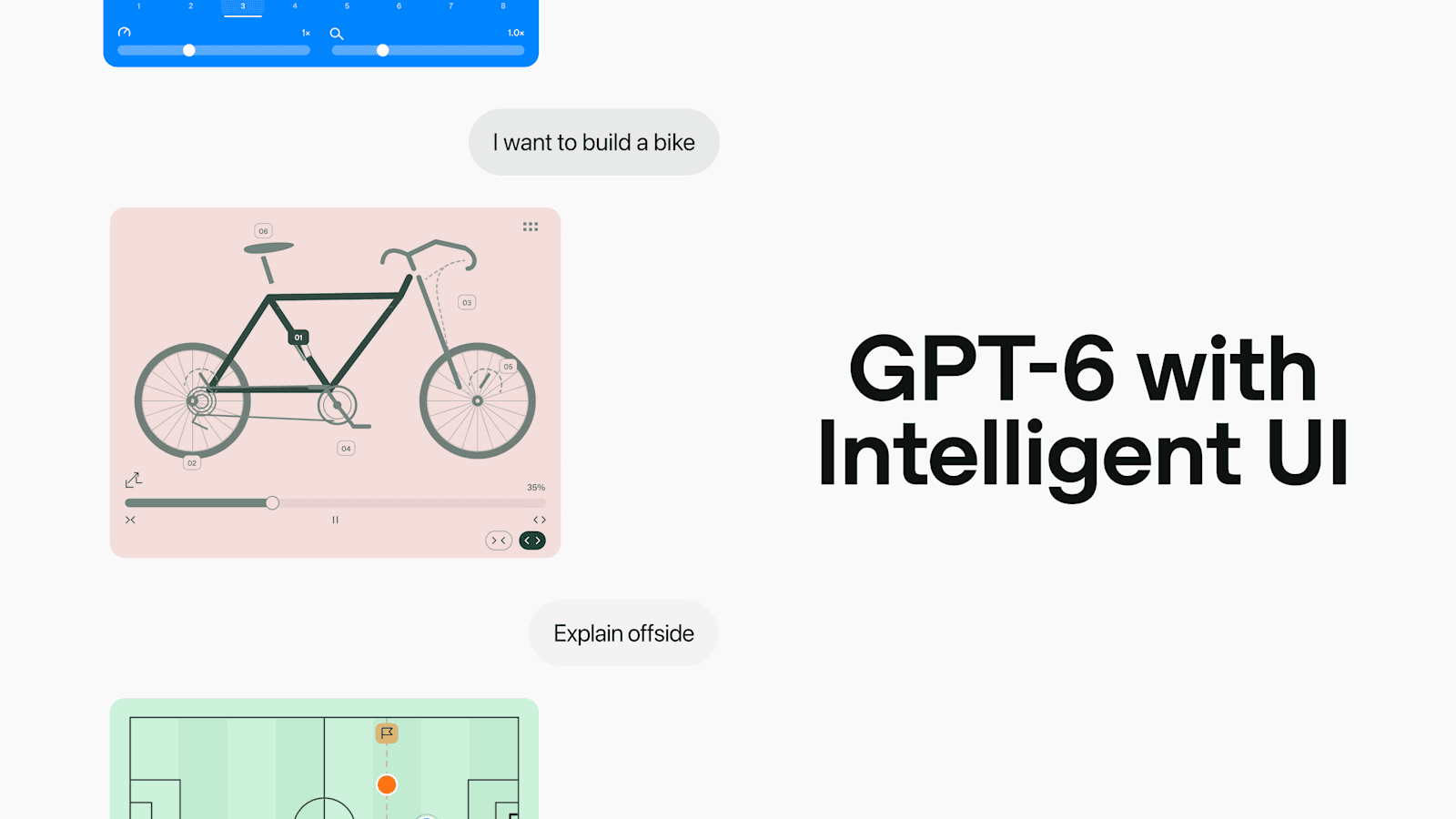
ChatGPT supports a broad range of tasks in one interface, so you do not switch between separate apps for writing, brainstorming, file analysis and images. Depending on model, plan and enabled features it can analyze spreadsheets, interpret documents, generate images, do web research and write code.
Its main advantage is versatility, not dominance in every individual category.
Three tips:
- Give it a role, objective and constraints instead of a one-line request.
- Use it iteratively: ask it to find weaknesses in its own answer, then improve against explicit criteria.
- Provide the actual source material (spreadsheet, brief, code) rather than asking it to guess.
Verdict: The strongest starting point for one assistant that covers many parts of life and work.
2. Is Google Gemini the best for the Google ecosystem?
Official site: https://gemini.google.com/
Best for: Google users, document-heavy workflows and multimodal assistance across compatible Google services.
Pricing guide: Free access with model and usage limits; paid Google AI plans add capabilities. Availability and features vary by region.
Gemini is most attractive if your documents, email and presentations already live in Google services. Depending on the model it can work with text, images, documents, audio and video.
Its competitive advantage is the combination of AI capabilities and the wider Google ecosystem.
Three tips:
- Start with the integrations in the Google products you already use.
- Give it a defined research task: specific information, comparisons, assumptions and open questions.
- Confirm which model and features your plan includes before building a workflow on it.
Verdict: An excellent choice for AI assistance closely tied to Google's products.
3. Is Claude the best for complex writing and analysis?
Official site: https://claude.ai/
Best for: Long-form writing, complex reasoning, code analysis, document-heavy projects and structured problem-solving.
Pricing guide: Free plan; Pro is listed at $20/month, or about $17/month billed annually; higher-usage Max plans exist.
Claude suits tasks that benefit from careful analysis, coherent long-form writing and sustained attention to instructions. For software work it can explain code, help diagnose bugs and support coding workflows through Claude Code.
It is not automatically better than ChatGPT at every task. The right choice depends on the model, task, context and required output.
Three tips:
- Provide the full context (goal, background, constraints, files, definition of success) before asking for a solution.
- Ask for a critique before asking for a rewrite.
- Separate analysis from implementation on important projects.
Verdict: One of the strongest alternatives to ChatGPT for substantial writing, technical work and complex documents.
4. Is Canva Magic Studio the best for visual design?
Official site: https://www.canva.com/magic-studio/
Best for: Social graphics, presentations, marketing materials and branded content for non-designers.
Pricing guide: Canva Free; Canva Pro is paid, with pricing that varies by market and billing.
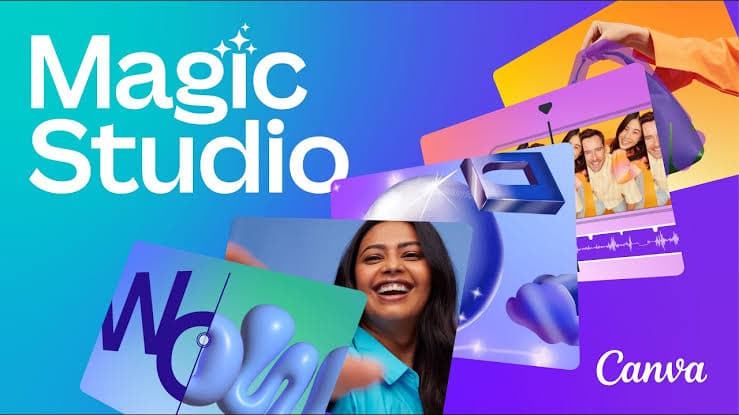
Canva adds AI features to an established design environment of templates, stock assets, presentation tools and brand management. The finished deliverable matters more than the generated image itself.
For a small business it can cover a large share of routine visual production.
Three tips:
- Define brand colors, typography and layout rules before producing volume.
- Use AI to speed up production, not to replace judgment; review copy and imagery.
- Build reusable templates: they save more time than generating each graphic from scratch.
Verdict: Essential for anyone who regularly needs attractive visual content without learning professional design software.
5. Is DeepSeek the best for accessible reasoning and coding?
Official site: https://www.deepseek.com/
Best for: AI reasoning, coding assistance, technical exploration and cost-conscious experimentation.
Pricing guide: Free consumer app; API usage is priced separately by model.
DeepSeek showed that competitive AI capabilities can come from outside the best-known US companies. Its consumer app and its model ecosystem are not the same product: some models were released with open weights, which matters to developers exploring self-hosting, though open weights do not mean everything is unrestricted.
The consumer-app announcement we rely on dates from January 2025, so feature and policy details may have changed.
Three tips:
- Use it for comparison: have another capable model solve the same problem and compare reasoning.
- Test generated code; a plausible explanation does not prove it compiles, passes tests or is secure.
- Check data-handling policies before uploading sensitive documents or source code.
Verdict: Worth trying for accessible reasoning and coding, or as an alternative to the most established providers.
6. Is Perplexity AI the best for web research?
Official site: https://www.perplexity.ai/
Best for: Web research, source discovery, current information and answers supported by citations.
Pricing guide: Free plan; Pro and higher tiers are offered.
Perplexity searches the web and shows sources a reader can inspect, which can make the research process more transparent than a chatbot answering from model knowledge.
Citations still need checking: a cited page may not support the exact claim, and several sources can repeat the same original mistake.
Three tips:
- Ask for primary sources for prices, specifications and policy.
- Specify the date range you need.
- Open the citations and check that they support the statement.
Verdict: An excellent research companion when finding and verifying sources matters more than polished prose.
7. Is Grok the best for real-time web and social information?
Official site: https://grok.com/
Best for: Following current events, social trends and public conversations.
Pricing guide: Free with limits; SuperGrok is listed at about $30/month, with higher-priced options.
Grok's relationship with the X platform gives it a distinctive position for exploring developing stories and public reactions, although what it can see depends on the search capabilities available for a given request.
Popularity on social media does not indicate accuracy, broad opinion or lasting importance, so treat Grok as a source of discovery, not a substitute for verification.
Three tips:
- Look for recurring questions and themes rather than assuming the loudest posts represent everyone.
- Separate social sentiment from factual evidence.
- Confirm health, financial and legal claims with primary sources or professionals.
Verdict: Useful when a subject moves quickly and public discussion is itself part of the research.
8. Is Microsoft 365 Copilot the best for workplace productivity?
Official site: https://www.microsoft.com/microsoft-365/copilot
Best for: Word, Excel, PowerPoint and Outlook workflows, business documents and workplace productivity.
Pricing guide: Limited free Copilot access; Microsoft 365 Personal from about $9.99/month in the US. Business licensing differs.
If your working day happens in Microsoft Office, Copilot gives AI help inside those apps instead of in a separate chatbot: drafting reports, structuring presentations, summarizing information or assisting with spreadsheet analysis, depending on app, subscription and features.
Results depend on the quality of the underlying data, permissions and configuration.
Three tips:
- Ask for a specific deliverable, such as a five-slide executive deck, not a generic summary.
- Check the underlying data: AI spreadsheet analysis can be wrong when source data is ambiguous.
- Review access and permissions before workplace deployment.
Verdict: Compelling for professionals whose work is organized around Microsoft Office.
9. Is Cursor the best for software development?
Official site: https://cursor.com/
Best for: Developers building, debugging, refactoring and maintaining software.
Pricing guide: Free Hobby plan; Pro is listed at about $20/month; higher-usage and team plans exist.
Cursor is an AI code editor that works with project files, offers completions and assists with multistep tasks, which matters because real software work involves dependencies, existing behavior, tests and errors.
Developers remain responsible for reviewing changes and verifying that the software works.
Three tips:
- Define acceptance criteria before coding: behavior, affected files, constraints and tests.
- Work in small, verifiable changes and run the tests.
- Use version control, review diffs and keep automated changes away from production systems.
Verdict: One of the strongest options for developers who want AI to help implement software, not only answer questions.
10. Is Grammarly the best for everyday writing improvement?
Official site: https://www.grammarly.com/
Best for: Grammar, clarity, tone, rewriting and professional communication.
Pricing guide: Free plan; Pro from about $12/month with annual billing, more on monthly billing.
Grammarly improves text while you work instead of requiring you to paste every sentence into a chat. It helps with grammar, spelling, tone, clarity and rewriting, with advanced features on paid plans.
It is not a substitute for subject-matter expertise: a grammatically correct sentence can still be wrong.
Three tips:
- Tell it who the reader is.
- Preserve your own voice; do not let everything become generic.
- Check that a rewrite did not change meaning, certainty or tone.
Verdict: A useful everyday tool for anyone who writes often and wants to communicate more clearly.
11. Is DeepL the best for translation?
Official site: https://www.deepl.com/translator
Best for: Professional documents, business communication and multilingual content where context and natural phrasing matter.
Pricing guide: Free translator; DeepL Pro Individual from about $8.74/month with annual billing in the US.
Translation needs context, grammar, tone, idiom and terminology, not word-for-word replacement. DeepL specializes in this, and its paid offerings add documents, professional workflows and team features.
Quality depends on the language pair and content; legal, medical and contractual translations need human review.
Three tips:
- Include context: the same sentence can need different translations in marketing and in a technical manual.
- Establish terminology for recurring business translations.
- Review meaning, not just fluency: a natural-sounding translation can drop a qualification or change a number.
Verdict: A strong specialist choice for people and businesses that regularly work across languages.
12. Is NotebookLM the best for research on your own sources?
Official site: https://notebooklm.google.com/
Best for: Studying and synthesizing a collection of documents with answers grounded in the sources you supply.
Pricing guide: Free standard access; higher limits may come with eligible Google AI plans.
You create a notebook, add your sources, and NotebookLM explains the material, finds connections and answers questions grounded in those contents. That helps separate what your sources say from what a model might infer from general knowledge.
Three tips:
- Curate sources: a few authoritative documents beat many unrelated ones.
- Ask comparison questions: where do sources agree, conflict, or lack evidence?
- Follow citations back to the passage when accuracy matters.
Verdict: One of the most useful AI tools for students, researchers and professionals who need to understand specific documents.
13. Is Midjourney the best for artistic image generation?
Official site: https://www.midjourney.com/
Best for: Artistic imagery, visual concepts, mood boards and highly stylized image generation.
Pricing guide: Paid for regular access: Basic from $10/month, with Standard, Pro and Mega tiers above it.
Midjourney is a specialist tool known for aesthetics and visual expression, best when the goal is to explore an artistic direction rather than produce a technically exact illustration.
No single image generator is best at everything: typography, product accuracy, precise editing and consistent characters may need other tools.
Three tips:
- Describe composition, lighting, perspective, materials, palette and mood, not only the subject.
- Develop one visual direction, then explore deliberate variations.
- Check commercial-use and privacy terms before client work or confidential projects.
Verdict: A strong choice for creative professionals and enthusiasts who prioritize artistic image generation.
14. Is ElevenLabs the best for realistic voices?
Official site: https://elevenlabs.io/
Best for: Voiceovers, narration, dubbing, multilingual audio and voice-enabled applications.
Pricing guide: Free plan with limited credits; Starter from about $6/month, with higher tiers above it.
ElevenLabs turns written content into spoken content for videos, audiobooks, presentations, ads and interactive applications. Depending on plan it also offers voice design, authorized voice cloning, speech-to-text, dubbing and sound effects.
Commercial rights and cloning capabilities depend on plan and terms. Get permission before cloning an identifiable person's voice.
Three tips:
- Write for the ear: shorter sentences and punctuation that supports pauses.
- Match the voice to the audience and channel.
- Listen to the audio, not just the script, for pronunciation and pacing.
Verdict: An excellent specialist tool for scalable speech and multilingual audio production.
15. Is Suno the best for creating music?
Official site: https://suno.com/
Best for: Original songs, musical experimentation and rough drafts of musical ideas from text prompts.
Pricing guide: Free plan with limits; paid plans start around $8–10/month depending on billing. Free-plan songs do not carry the same commercial rights as paid ones.
You describe genre, mood, tempo, vocals and lyrical theme and Suno generates a complete song, which makes music creation accessible without training in composition or production.
The main limitation is control: a generated song may lack the precision and repeatability of some professional projects.
Three tips:
- Specify genre, tempo, mood, instrumentation, vocal delivery and structure.
- Focus on the hook, the central melodic or lyrical idea.
- Review the licensing terms for the plan and creation date before publishing or using a song in advertising.
Verdict: A compelling tool for turning musical ideas into complete song drafts quickly.
Which AI app should you choose?
If you only try three, start here. These are editorial picks, not benchmark wins.
Need coding, translation, voice or music? The reviews above name a first choice and an alternative for each.
What are the best free AI apps in 2026?
You do not need several subscriptions to build a useful toolkit. Most of these apps have free access that is enough for occasional tasks, personal projects and learning; the question is whether a free tier is too limited for your workflow. The usual limits are usage caps, restricted advanced features and, for audio and music, weaker commercial rights.
If you are starting from zero, begin with three: ChatGPT for general assistance, Perplexity for finding and verifying information, and Canva for finished visual content. Add Claude, Gemini or a specialist only when you hit a need these do not cover.
Are paid AI subscriptions worth it?
A subscription is worth it when the paid features save enough time or unlock enough capability to justify the cost. Before paying, ask three questions:
- Frequency: will I use this several times a week?
- Incremental value: does the paid plan give me a capability or allowance I actually need?
- Return: is the time saved worth more than the price?
If the answer to the second question is no, a subscription is probably unnecessary.
How do you build your own AI toolkit?
| Toolkit | Best for | Apps |
|---|---|---|
| Everyday | Students, professionals, everyday users | ChatGPTPerplexityGrammarlyCanvaNotebookLM |
| Entrepreneur and marketer | Founders, marketers, small businesses | ChatGPTClaudePerplexityCanvaGrokElevenLabsSuno |
| Software development | Engineers and technical founders | CursorClaudeChatGPTDeepSeekPerplexity |
| Research and knowledge | Researchers, analysts, students | PerplexityNotebookLMClaudeChatGPTDeepL |
Treat AI-generated code as a proposed implementation, not a verified result: use version control, tests, code review and security checks. In research, separate finding information (Perplexity) from understanding information you already have (NotebookLM). In every toolkit, human review remains necessary.
What is the final verdict?
The most useful toolkit is not the one with the most apps or the costliest plans. For most people: ChatGPT for general assistance, Gemini if you live in Google's products, Claude for complex writing and code, Perplexity for research, Canva for design, Cursor for software, NotebookLM for your own documents, DeepL for translation, ElevenLabs for voice and Suno for music.
Choose AI apps by the work they help you accomplish, not by hype, subscription count or leaderboard position.
Frequently asked questions
What is the best AI app in 2026?
ChatGPT is our first choice for overall versatility across writing, research, coding, data analysis and creative work. Claude may fit complex writing and coding better, Gemini suits Google users, and Perplexity suits source-oriented research. No single app is best for every task.
What is the best free AI app?
ChatGPT is a strong free starting point for general assistance. NotebookLM is useful for your own documents, Canva for design and Perplexity for web research. Always check the limits of each free plan.
Which AI app is best for beginners?
ChatGPT, because you describe what you want in ordinary language. Canva is another beginner-friendly option if your goal is visual content.
Which AI app is best for coding?
Cursor suits developers who want AI inside their editor. Claude and ChatGPT are also useful for reasoning about code and errors. Test generated code before relying on it.
Are free AI apps safe to use?
Not automatically. Privacy, data retention, training policies and security controls vary by provider and plan. Review them before uploading confidential documents, customer data or source code.
Can I use AI-generated content commercially?
Sometimes. It depends on the app, plan, content type and terms; a paid plan does not automatically grant unrestricted rights, especially for music, cloned voices and visual assets.
Sources
- ChatGPT subscription information — OpenAI. Vendor page; we have not re-verified current prices.
- Claude plans — Anthropic. Vendor page; we have not re-verified current prices.
- Google AI plans — Google. Vendor page; we have not re-verified current prices.
- Cursor pricing — Cursor. Vendor page; we have not re-verified current prices.
- Perplexity subscription guide — Perplexity. Vendor page; we have not re-verified current prices.
- Midjourney plan comparison — Midjourney. Vendor page; we have not re-verified current prices.